
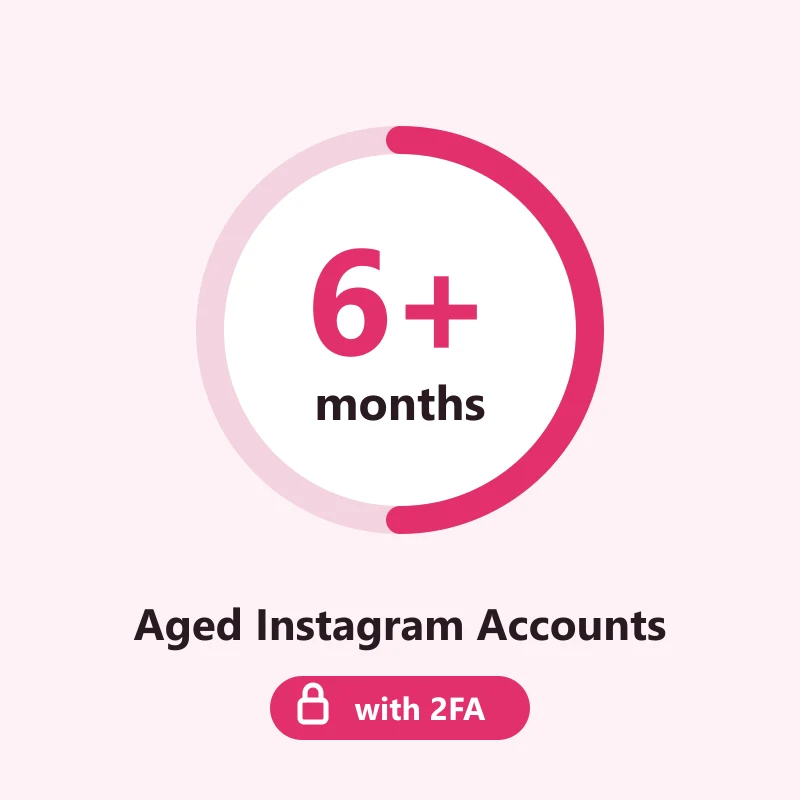
Buy Aged Instagram Accounts
5000 in stock
An Instagram account at least six months old, by the registration year or day age its batch states, with a 2FA key on every account. Replaced within 24 hours if it does not sign in as delivered.
Delivery format: username:password:2FA key
One account per line on your order page. Each line holds the login, the password and the 2FA key; some batches add an email or cookies after them, and the order of the fields can differ. The table below the page copy shows how to tell them apart.
When Instagram asks for a security code after the password, put the 2FA key into the checkkit.net 2FA code generator and type the 6-digit code it returns.
How the six months are counted
Every batch that fills this listing states how old its accounts are, either as a registration year or as a number of days. The listing only takes a batch whose youngest possible account is at least 180 days old on the day you order. A year is read by its last day: a batch marked 2025 counts as if every account in it was made on 31 December, so nothing in it can be younger than the floor. A batch that states no age is never used, whatever it calls itself.
- At least six months since registration, on every account in the order
- A 2FA key delivered with every account
- The age comes from the batch description, so you can read it before and after delivery
- Current batches are 2025 registrations; the six months is the promise, not a particular year
Why six months and not a year
A half-year account is past the stage where everything about it is brand new, and it costs far less than one with years behind it. If the work you have in mind does not need a long join date, six months is the sensible middle.
What "aged" does not mean here
Aged is about the calendar only. Most of these accounts sat unused after sign-up, so do not expect a feed, a following or a history of posts. Instagram can still ask any of them to verify.
Why every account carries a 2FA key
On a bought account, the 2FA key matters more than the age. It is the secret behind the six-digit codes Instagram asks for after the password, and whoever holds it controls the second step of every sign-in. This listing leaves out batches whose name does not mention 2FA, so each account arrives with its key and you are not waiting on a phone number or an inbox you do not have.
- The key is part of the delivery line, next to the login and password
- It works from the first sign-in, on any device
- The email inbox is not promised: most batches name SMS or mail verification but no mailbox
- Profile picture, filled-in bio, posts and followers vary by batch, mostly 0 to 10 followers
Keep the key from day one
Save the key in the same place as the password the moment the order arrives. If it is lost, nobody can generate the codes again, and the account cannot be opened on a new device.
Use it within the rules
An aged account with 2FA is still bound by Instagram's terms. No spam, no fake engagement, no running it from a script; that kind of use ends accounts of every age.
Reading the batch description
Batches describe themselves in short phrases. These are the ones that turn up most often on this listing, and how much each one tells you.
| The batch says | What you can count on | What it leaves open |
|---|---|---|
| Registered 2025 | The join date is in 2025, so at least six months back | The month, and whether the account was ever used |
| Empty profile, or profile filled | Whether a name, photo or bio was added before sale | Posts and followers, usually none or a handful |
| Mix IP, or registered on devices | The accounts come from several countries and devices | Which country any one account is from |
Illustrative: based on the wording of the batches this listing accepted on 2026-10-19. Sellers do not all use these phrases the same way.
What each field in the line is
Fields are split by colons, or sometimes by semicolons or tabs. Batches do not agree on the order, so go by what a field looks like, not by its place in the line.
| Field | How to spot it | Use |
|---|---|---|
| Login and password | A username, an email address or a phone number, then the password next to it | Signing in through the app or the website |
| 2FA key | About 16 to 32 capital letters and digits, sometimes in groups of four | Making the six-digit code Instagram asks for after the password |
| Extras on some batches | An address with an @ and its own password, or a long block of cookie text | Mail from Instagram where the inbox works; cookie sign-in in tools that take it |
Only the login, password and 2FA key are promised on this listing. Anything else in the line is extra and differs from batch to batch.
If the first sign-in does not go through
A first login on a new device often triggers a check from Instagram. That is normal and usually passes. The 24-hour window is for accounts that do not work as delivered.
| What happens | What to try |
|---|---|
| The security code is refused | Set your device clock to update automatically, make a new code from the key and type it within the same half minute. |
| Instagram sends a code to a phone or email you were not given | Look for the option to use the authentication app instead and enter a code from the key. If no such option appears, report it from the order page. |
| The password is wrong, or the account is suspended on arrival | Paste the fields again with no spaces around them. If it still fails, report it from the order page within 24 hours of delivery and it is replaced. |
Replacements cover accounts that fail as delivered and are reported within 24 hours. Blocks or suspensions that come from later use are not covered.
What to check when the order lands
The replacement window is 24 hours from delivery. Five checks, a few minutes per account, in this order.
- Copy each line into your password manager first, with the 2FA key kept beside the password.
- Sign in from one device on one network, and enter the six-digit code from the key when Instagram asks.
- Open the profile menu, then the account information page, and confirm the join date is at least six months back.
- In Accounts Center, look at where the account is logged in and remove any session that is not yours.
- If an account will not open with the details as delivered, report it from the order page before the 24 hours run out.
Questions buyers ask
- Will every account be exactly six months old?
- No. Six months is the floor, not the age. Right now the batches are 2025 registrations, so most accounts are older than that. One batch fills each order, and its accounts share the same stated age.
- Do the accounts come with an email?
- Not as a promise. A few batches include one, most do not. You sign in with the password and the 2FA code, and you can add your own email in the settings once you are in.
- Can I pick the country?
- No. This listing is chosen by age and 2FA, and most batches behind it are mixed IP. If one country matters, the catalogue on the homepage has batches that name it.
- How fast is delivery?
- A few minutes as a rule. If the first batch picked cannot take the whole order, the next qualifying one does, which can add a little time. The lines appear on your order page.
Recommended products
Instagram Accounts
1 Year Old Instagram Accounts with 2FA Added
$1.50/ account
Seller 3.9
Instagram Accounts
1-1.5 Year Old Instagram Account with 2FA Key
$4.50/ account
Seller 3.6
Instagram Accounts
autoreg | Real Android
$0.48/ account
Seller 4.7
Instagram Accounts
JSON Cookie for Web Login | Mix IP
$0.56/ account
Seller 4.9
Instagram Accounts
5-7 Months Old Instagram Accounts (2FA Enabled)
$0.42/ account
Seller 4.8
Instagram Accounts
6 Month Old Instagram Account with Mail Access
$1.80/ account
Seller 4.6Recent reviews
- ★★★★★10/18/2026
Fast delivery and worked as described.
- ★★★★★10/17/2026
Smooth checkout, account credentials arrived quickly.
- ★★★★★10/16/2026
Good quality account, no issues so far.
- ★★★★★10/14/2026
Exactly what I needed for my project.