
How to Sign In to an Instagram Account: Password and 2FA, Mailbox or Cookie Lines
October 19, 2026
BuyIGAccounts Support Desk· Customer support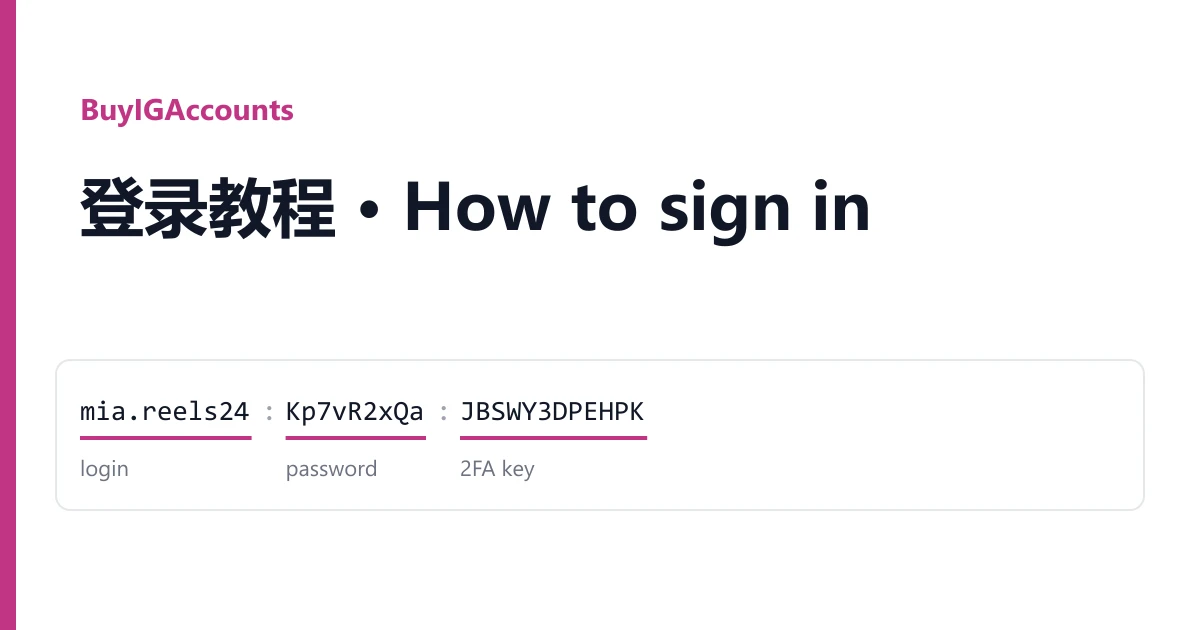
Every Instagram account from BuyIGAccounts arrives as one line on your order page, and every line is one of three types. Spot the type first. After that, signing in takes a minute.
Reading your line
mia.reels24:Kp7vR2xQa:JBSWY3DPEHPKRSXG5CTMFRGGZDFMZTW
login : password : 2FA key

mia.reels24:Kp7vR2xQa:JBSWY3DPEHPKRSXG5CT||android-4a1b2c3d;8f2e...
login : password : 2FA key || device data| Type | How to recognise it | What you sign in with |
|---|---|---|
| Password + 2FA key | Login, password, then a long block of capital letters and digits. Most listings | Login, password, and a code made from the key |
| With a mailbox | An extra address with an @ and its password, on listings that say mail access is included | The same, plus the mailbox when Instagram emails a code |
| With cookies | Listings that mention cookies add a long block of cookie text | The cookie, in a desktop browser |
Some lines end with device data after "||", for account-management programs. A few formats also carry a UID or phone field. None of these is needed to sign in; just keep the whole line.
Signing in
Password + 2FA key. Open the Instagram app or instagram.com and enter the login and the password, each copied on its own. When Instagram asks for a code from an authentication app, paste the key into the online 2FA code generator and type the six digits before they change.
With a mailbox. Sign in the same way. If Instagram offers to email a code instead, open the mailbox with its address and password (Outlook and Hotmail addresses open at outlook.live.com) and copy the code.
With cookies. Install Cookie-Editor in a desktop browser, open instagram.com, click the extension, choose Import, paste the cookie text and refresh. If the login form is still there, the session has ended; use the password route.
If it fails
The 2FA code is rejected. It expired, or your device clock is off. Set the clock to automatic and make a new one.
The password is refused. Copy it again with no colon or space attached.
Instagram asks for a phone number or a selfie on the first sign-in. Stop retrying and take a screenshot.
Warranty
Open a ticket from your order page within the warranty window shown on the listing. Name the account and attach a screenshot. It is replaced from the same listing, or refunded if the listing has run out. Signing in never voids the warranty. Bans caused by bulk or automated activity are not covered. More accounts are in the catalogue.